
🏷️ How Can I Use My Promo Code or Credit?Updated 5 months ago
Snag a discount or use your credit!
Quick tips on applying codes at checkout.
To use a promotional code in our website, you just simply need to input the code in the checkout page in the section shown below:
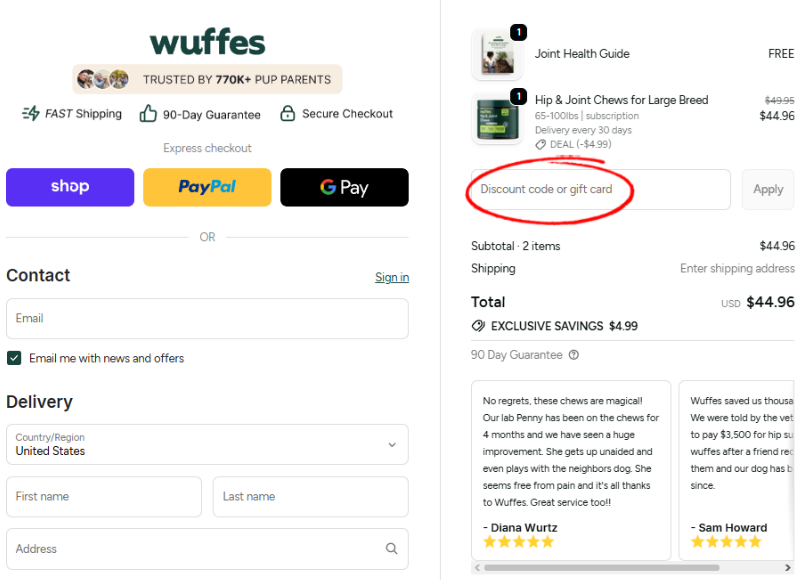
Remember to double-check that you've entered your promotional code correctly at checkout, and keep in mind that only one code can be used per order. Some of our promotional codes are time-sensitive, or available only for a limited time, so if something’s not working, just send us a screenshot of the error along with the code you’re trying to apply at [email protected], and our Customer Service team will be happy to check it out!
Do you have a credit that you want to apply to your next order?
In case you have a credit available on your account, it will automatically reflect on the main dashboard on your account. To use your saved credits, you only have to turn on the option "Auto-apply to the next order".
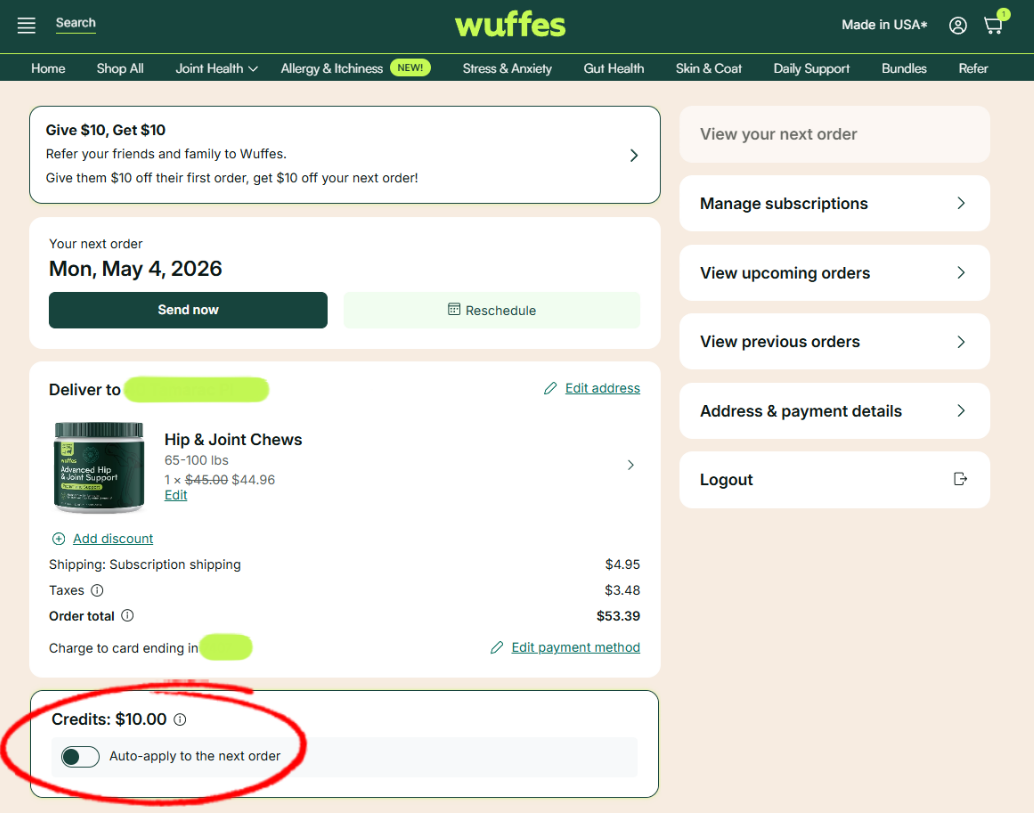
💡 Note: This menu will only appear if you have credits available on your account.