🕑 Update frequencyUpdated 15 days ago
Your subscription frequency determines how regularly your orders are sent out. By default, we ship every item according to the time period you selected in your original purchase (every month, every 3 months, every 6 months, etc.), but you have full control—just log into your account to adjust the timing to whatever schedule works best for you, whether that’s more or less often!
You can follow the next steps to update the frequency of your orders:
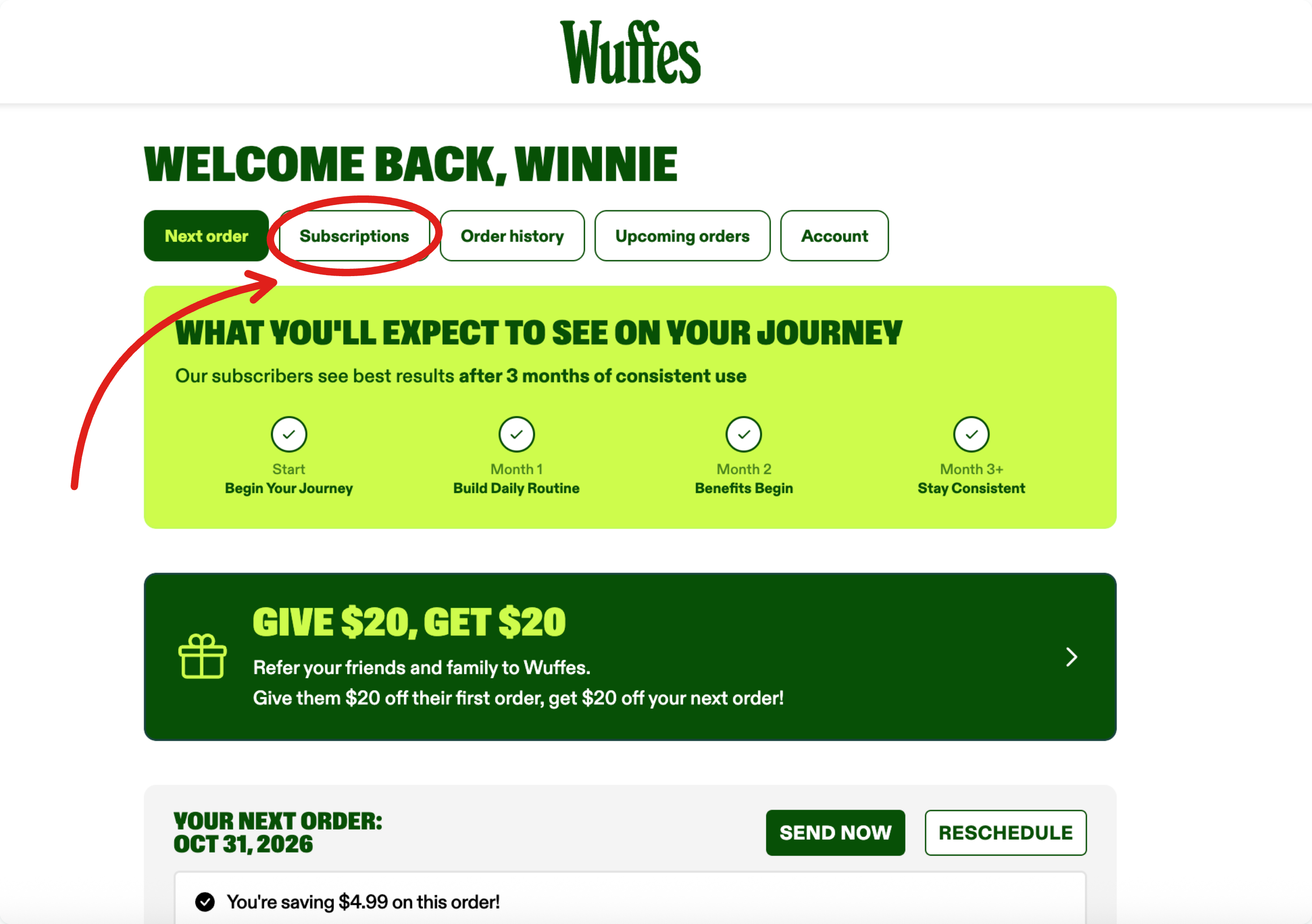
1. Log in to your Wuffes account.
2. Click on "Subscriptions" to see all your active subscriptions
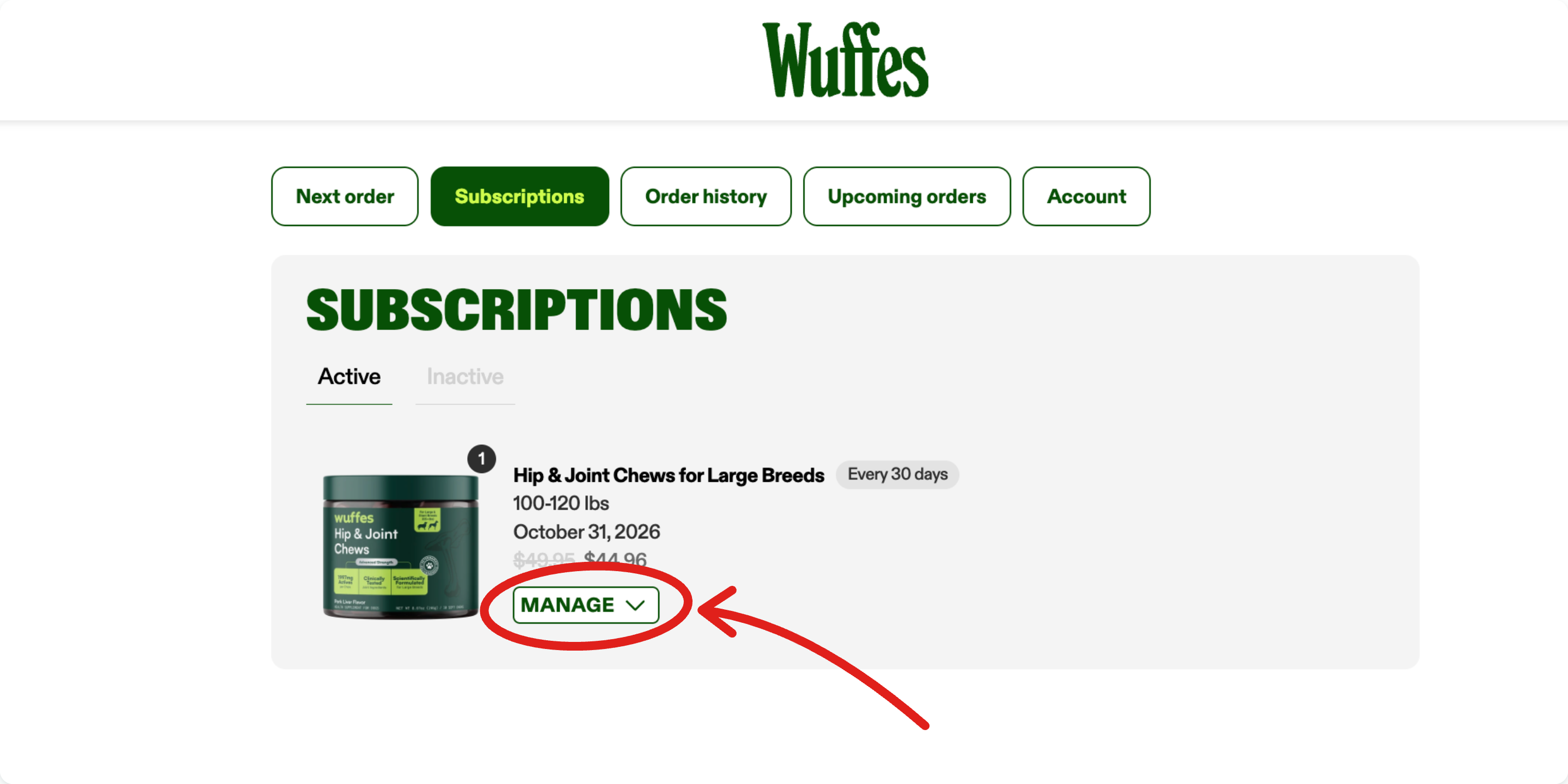
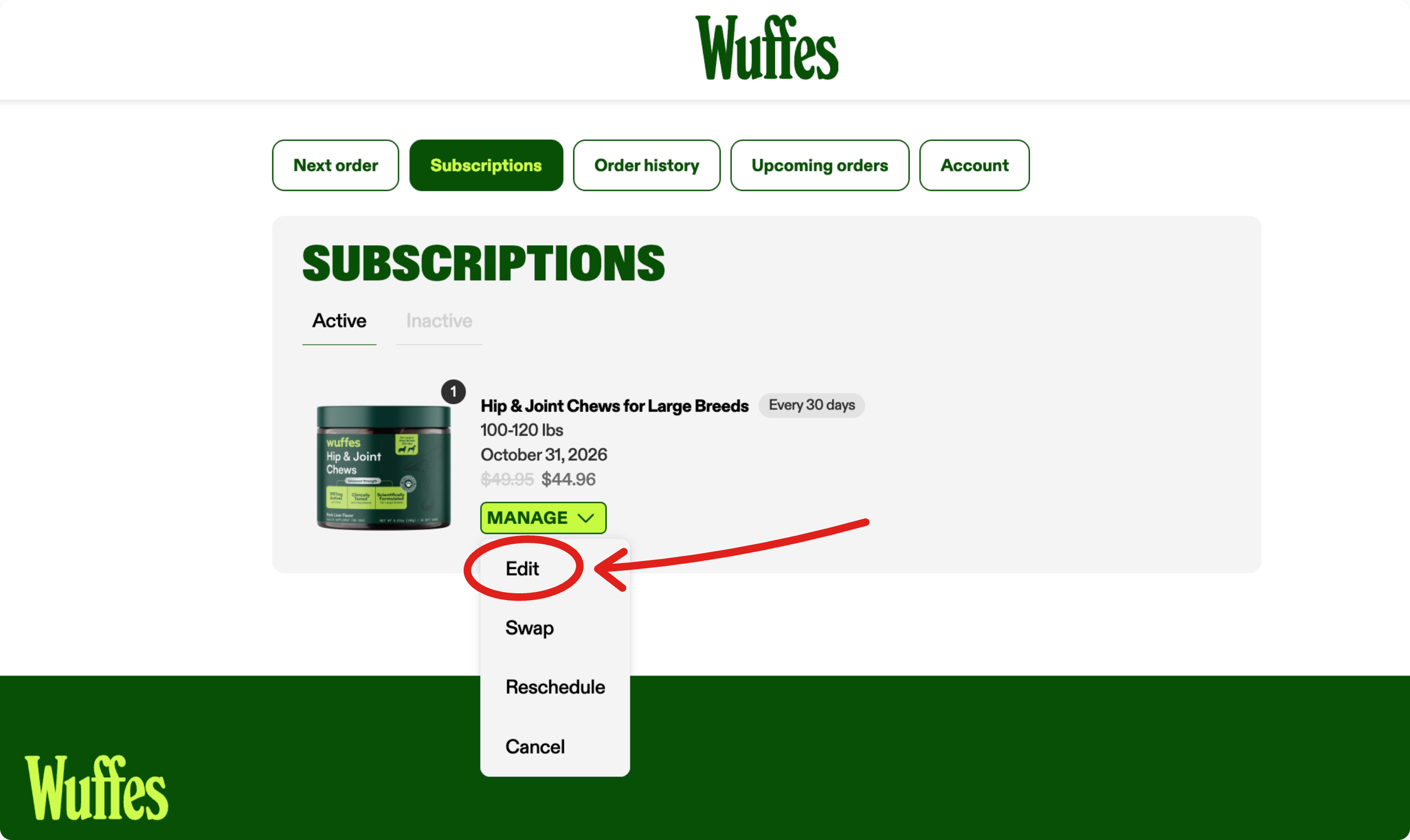
4. Select "Edit" from the menu to see the subscription details
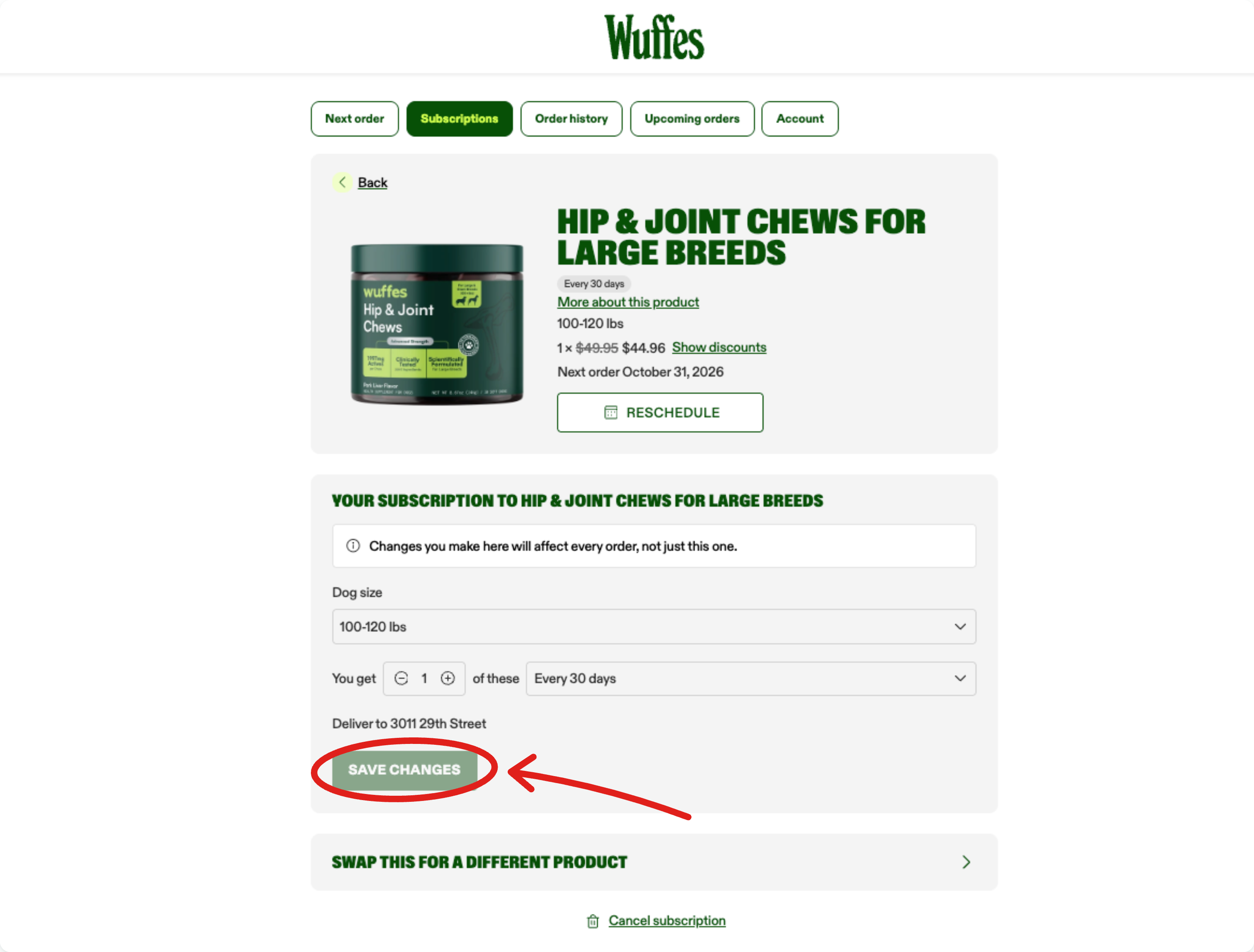
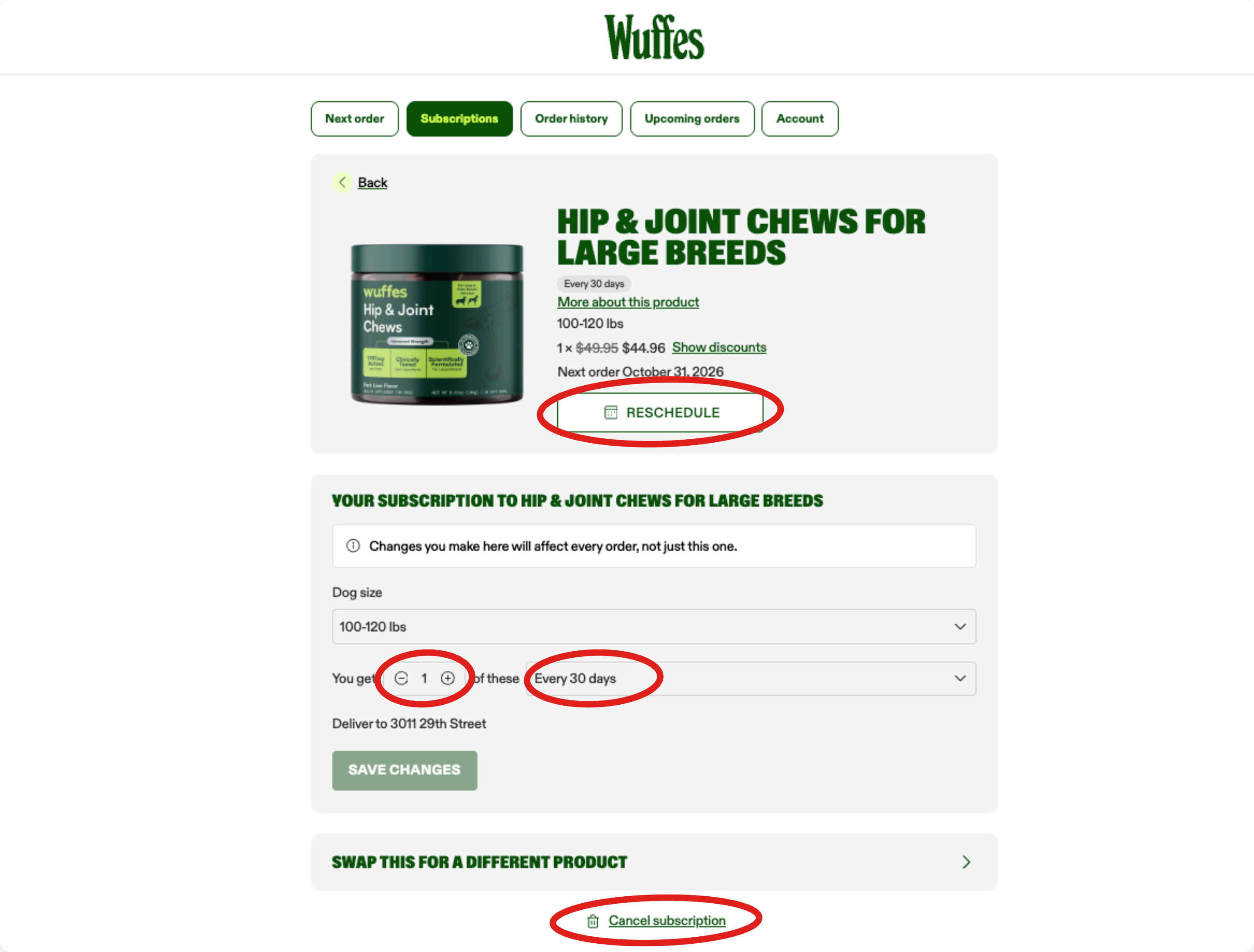
5. On this page, you will have the option to modify the subscription for this item. Whether you wish to reschedule your next order, modify the amount of items you'll receive on every order, or how often you'll receive your order, everything can be done on this page!.
You can select the option "Reschedule" to reschedule your next autoship order only to a specific date, and continue with your regular autoship schedule.
If you wish to modify your autoship schedule moving forward, you can modify this in the section where it reads "You get (X) of these every (XX)" as show in the example below.
6. Finally, click on the option "Save changes" to confirm.