
💰 Update My Payment MethodUpdated 5 months ago
New card? No problem.
Follow these easy steps to keep your subscription seamless.
1. Log in to your Wuffes account.
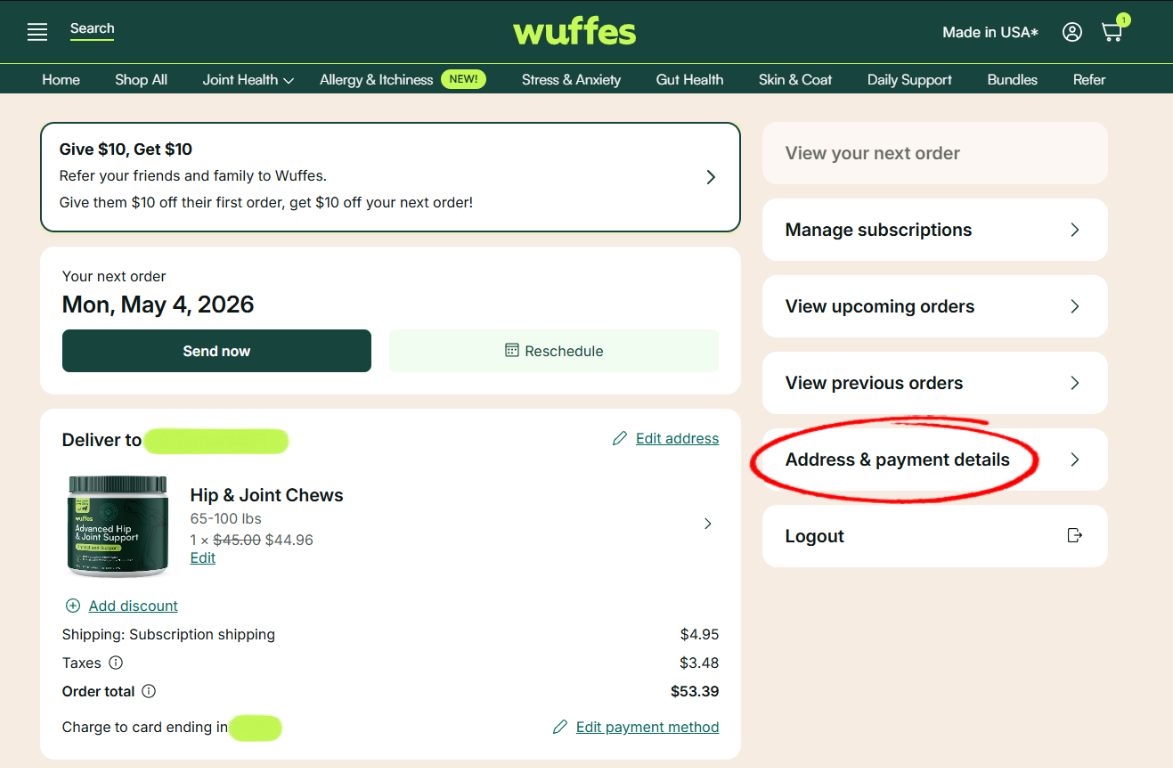
2. Select "Address & payment details"
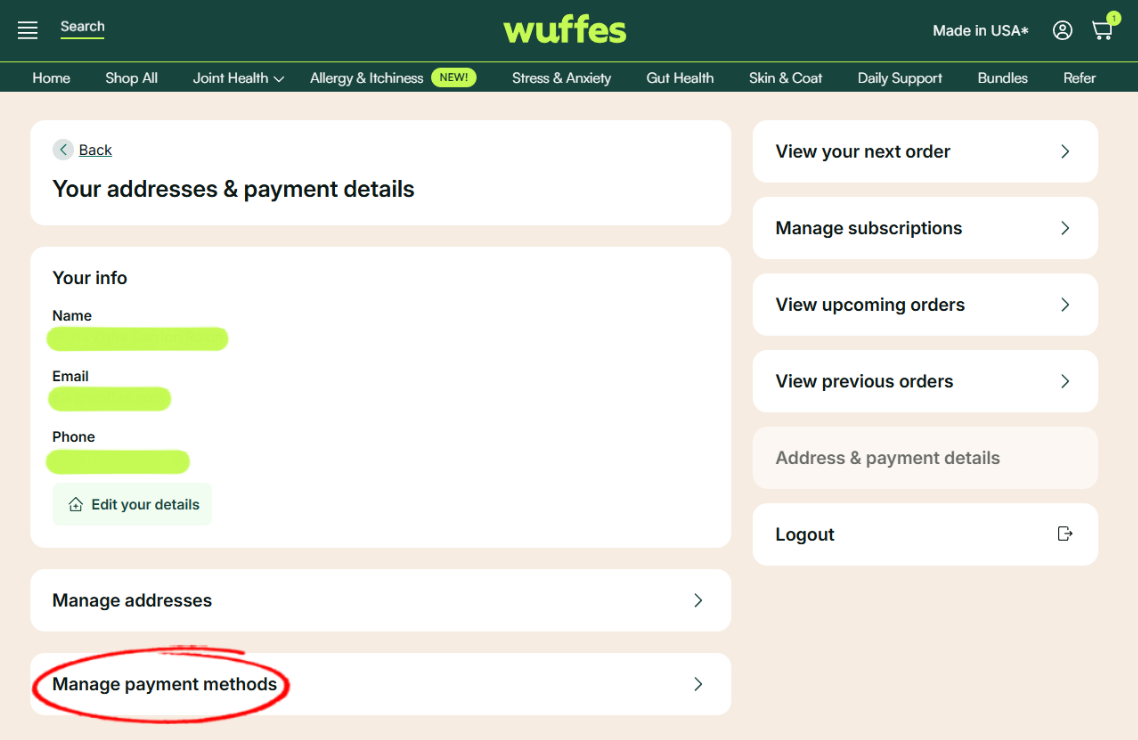
3. Select "Manage payment methods"
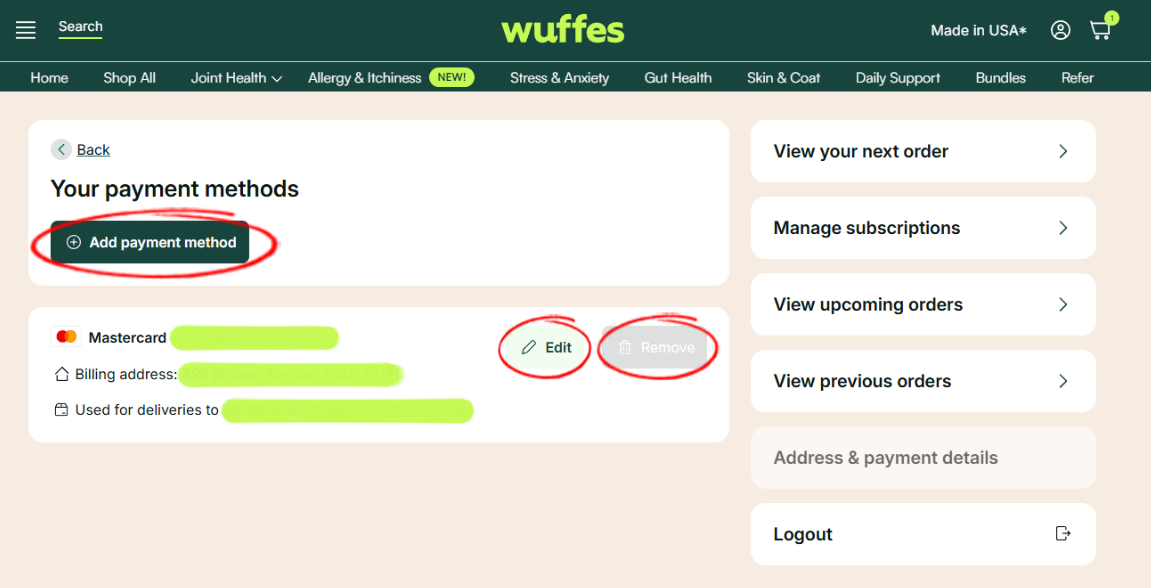
4. In this page you will be able to add a payment method, modify your existing payment method, or remove a payment method (please note that this option will only be available if you have more than 1 payment method saved in your account.)
5. Finally, click on the option "Save changes" to confirm.
If you currently have an active subscription, please remember that the same payment method will be used for your all your future shipments. If you experience any issues managing your payment methods, you can always contact one of our specialists at 307-317-4913 for further assistance!