🔄️ Cancel SubscriptionUpdated 15 days ago
Need a break or ready to cancel?
We’ll show you how to easily cancel your subscription anytime, no strings attached.
1. Log in to your Wuffes Account:
- 💡 Tip: You can visit our "How to log in to your account?" article for further details!
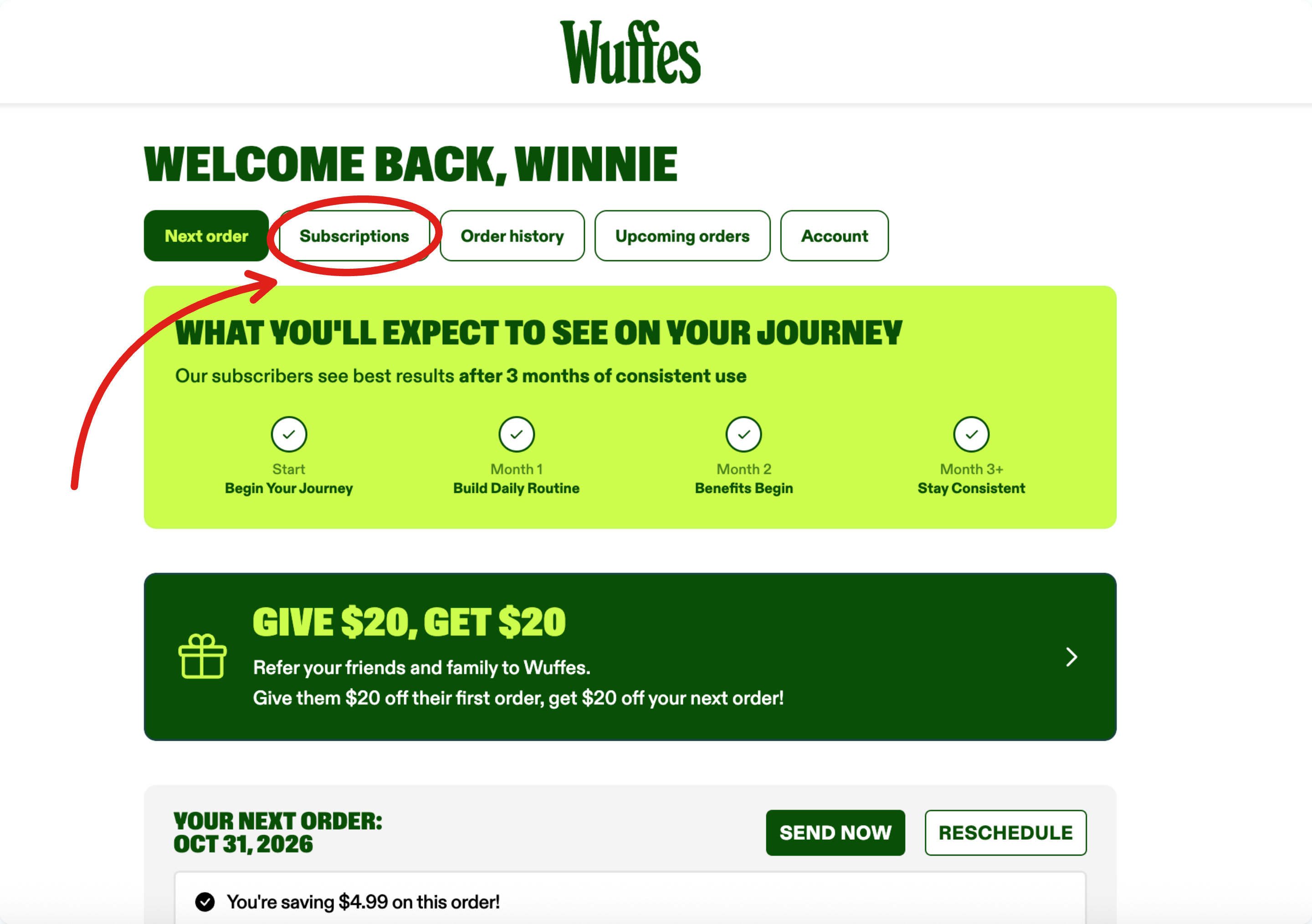
2. Click on "subscriptions" to see all your active subscriptions
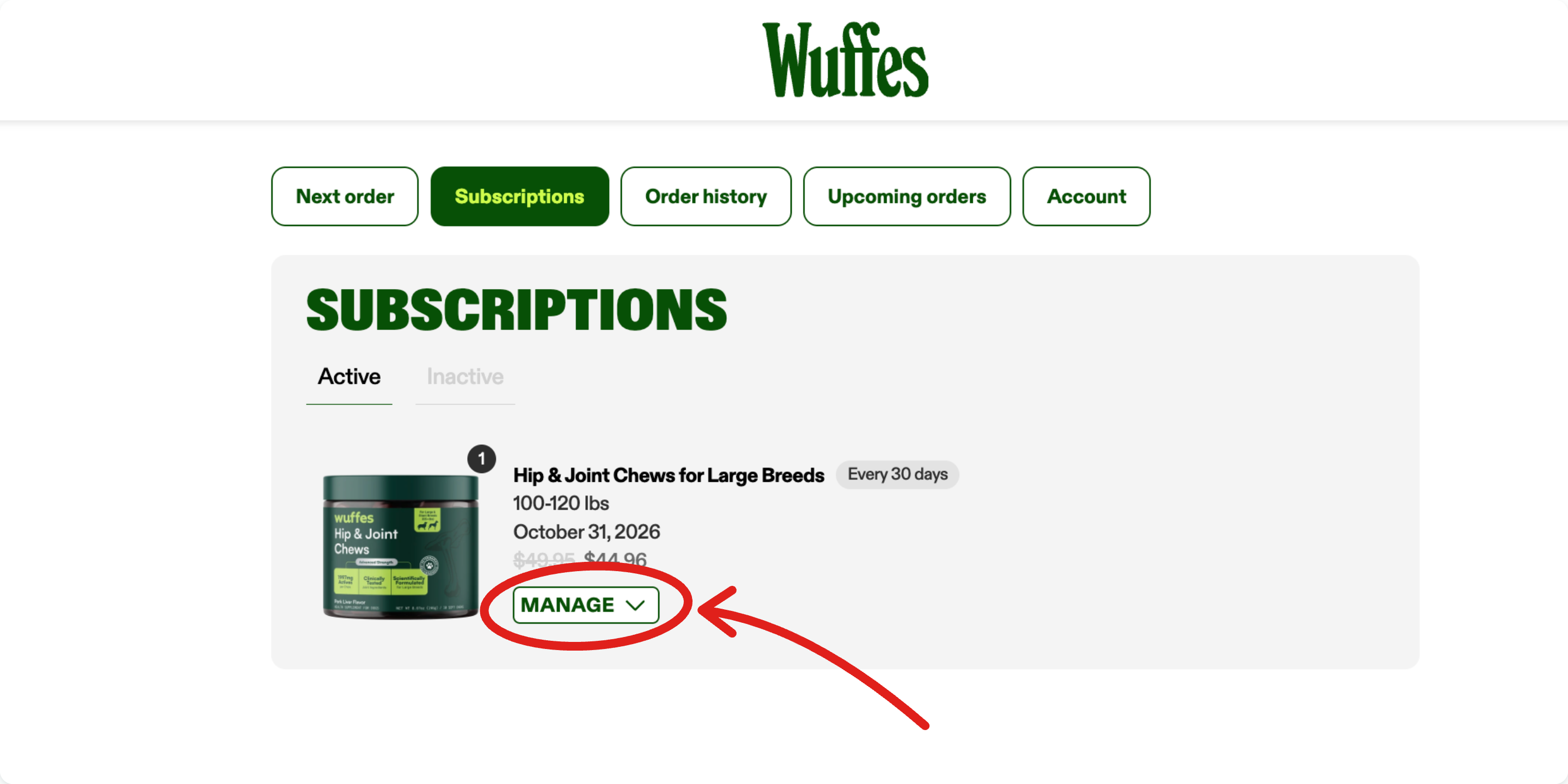
3. Click on "Manage" to see the subscription details
4. Select "Cancel" from the menu
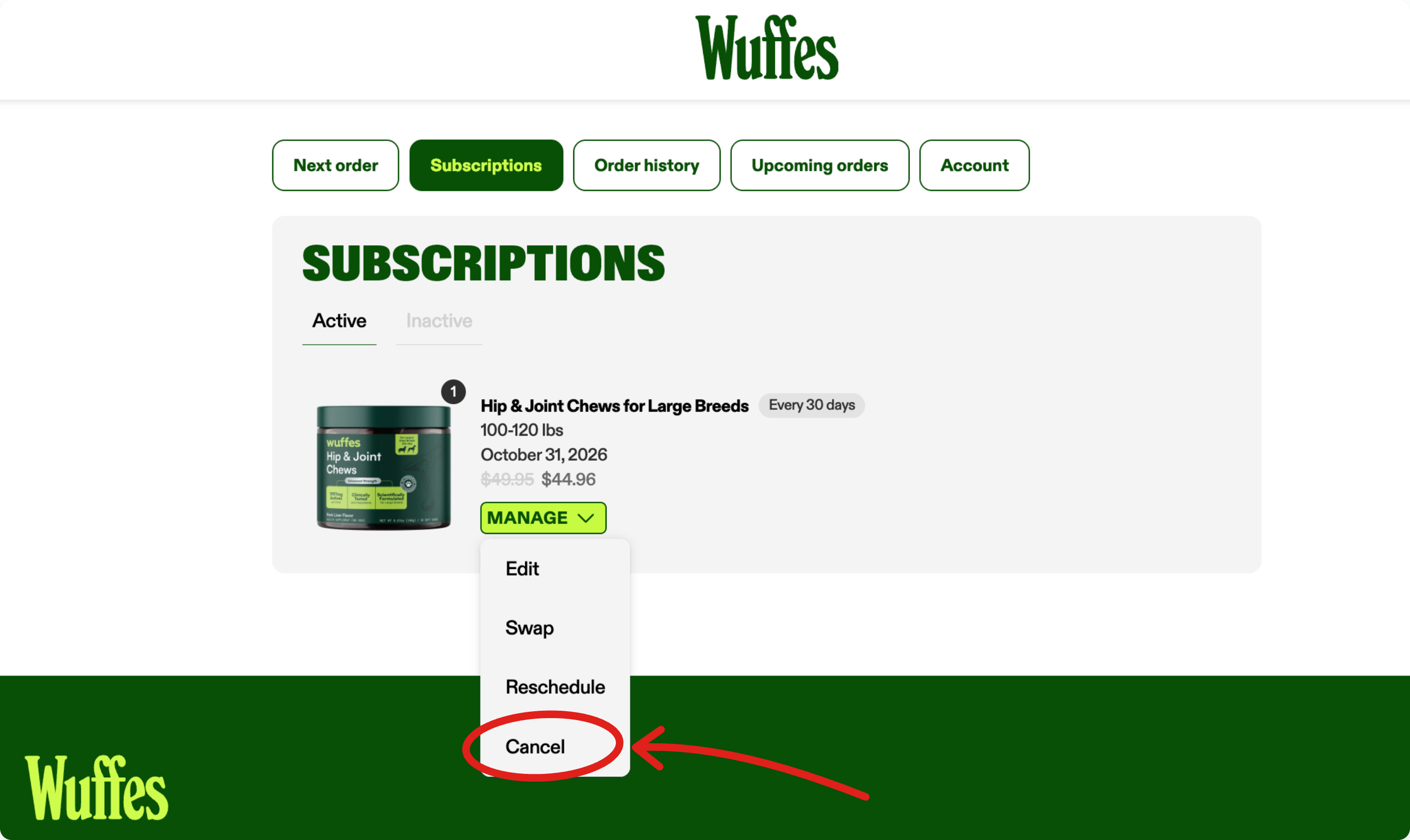
Alternatively, select "Edit" and click the "Cancel subscription" button at the bottom of the page.
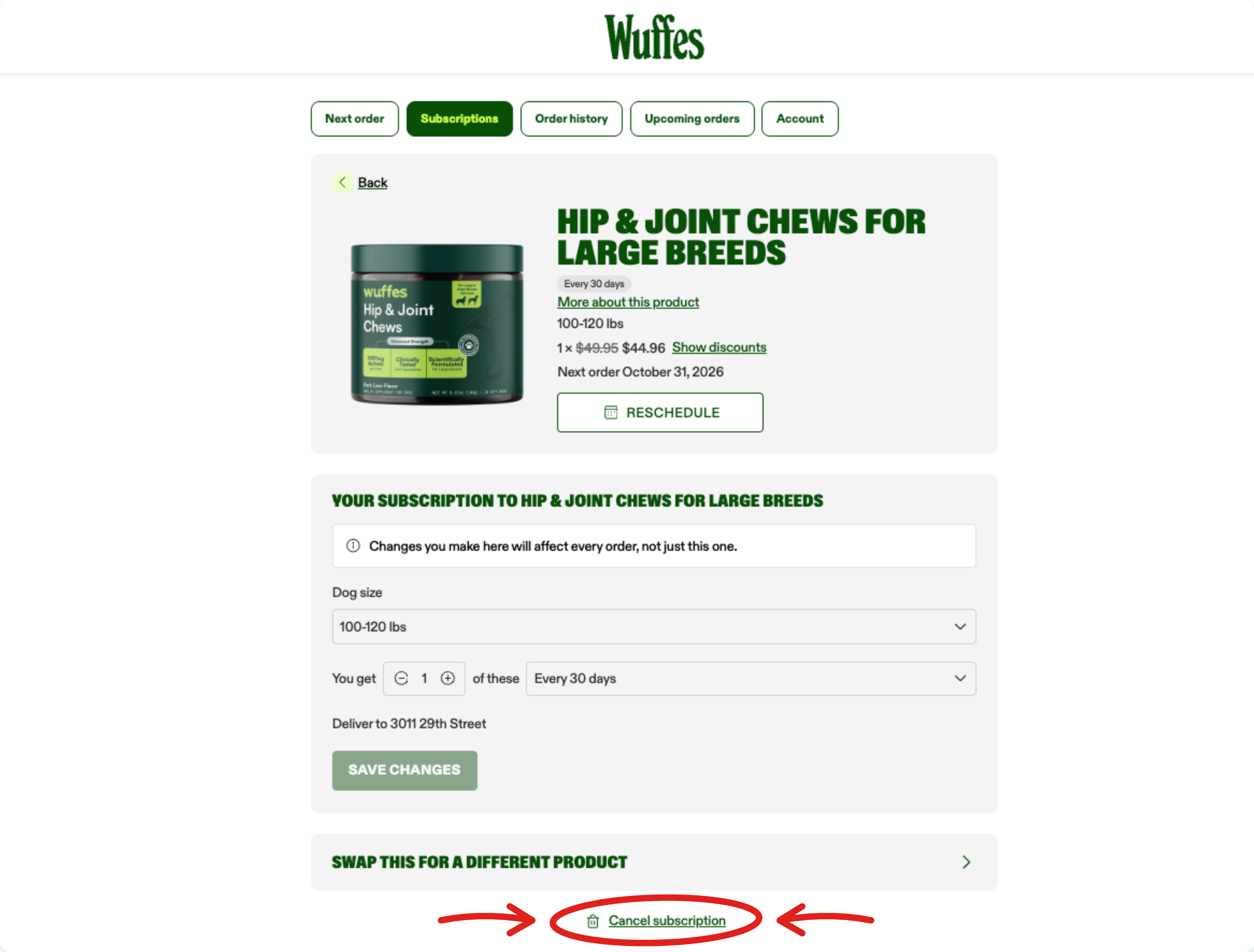
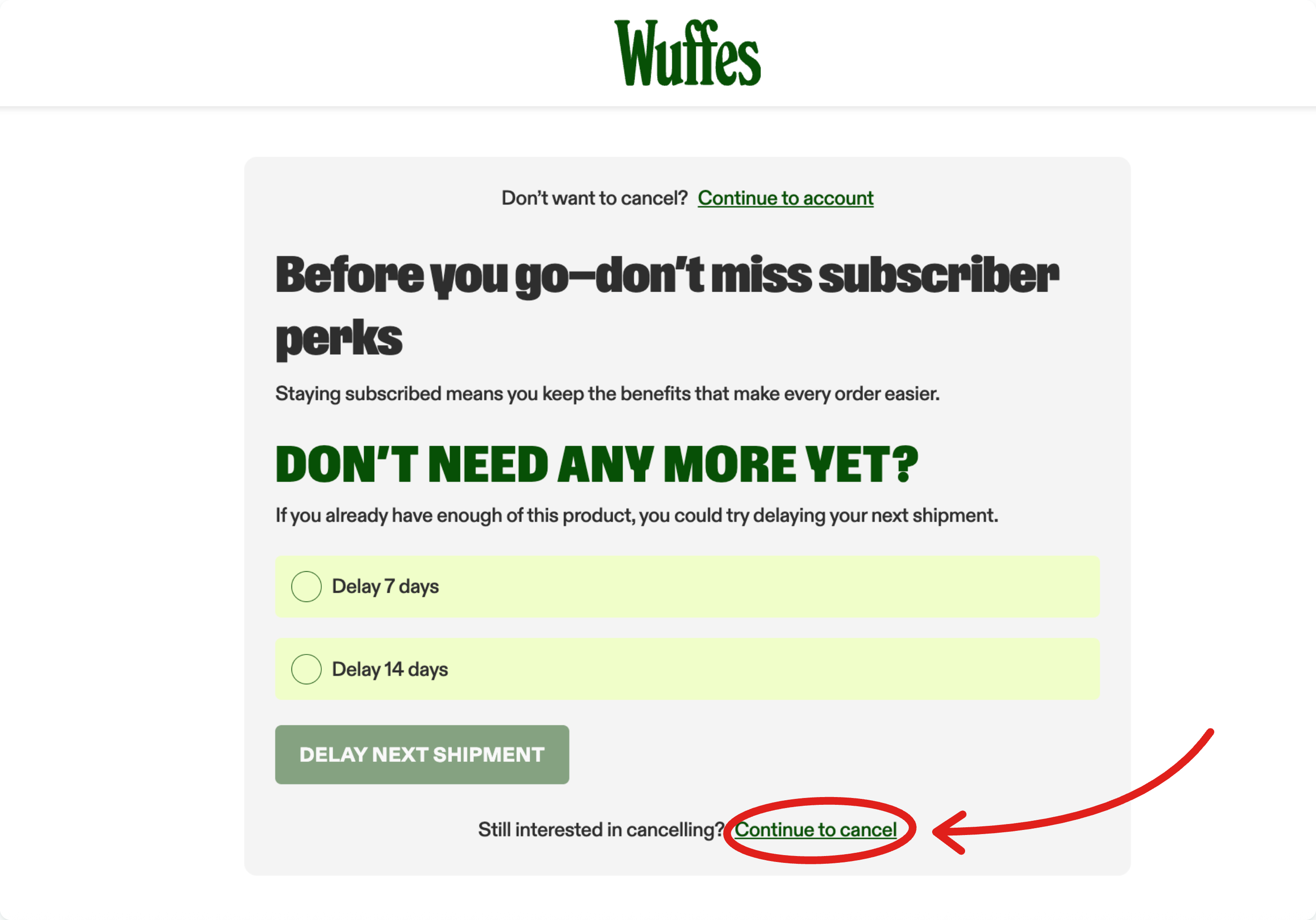
5. On this page, you'll be given the option to briefly "Delay" your next shipment instead, cancel your subscription completely, or go back and keep your subscription. Click "Continue to cancel" to finish cancelling.