
➕ Add Another Item to My SubscriptionUpdated 5 months ago
Keep tails wagging with more goodies.
Find out how to add extra supplements to your existing subscription.
If you want to receive additional product from an existing subscription.
1. Log in to your Wuffes account.
2. Click on "Manage subscriptions" to see all your active subscriptions
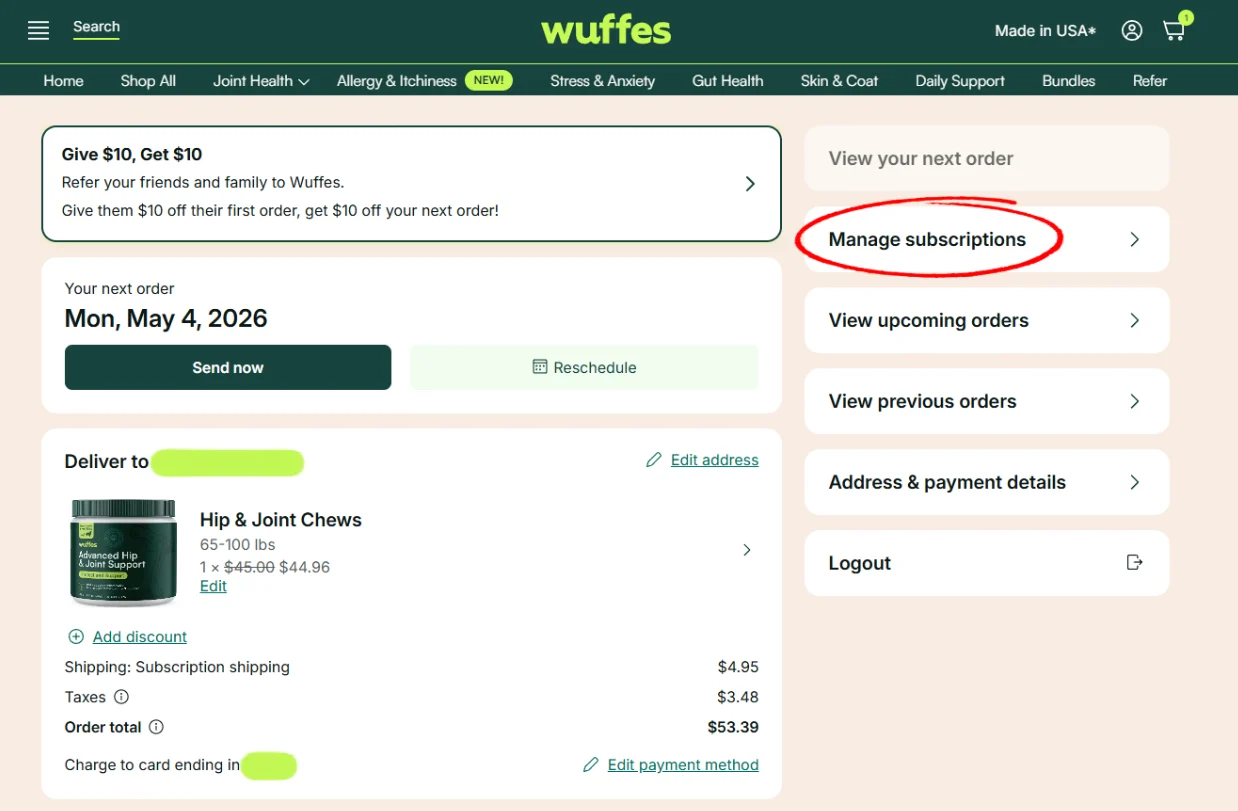
3. Click on "Manage this subscription" to see the subscription details
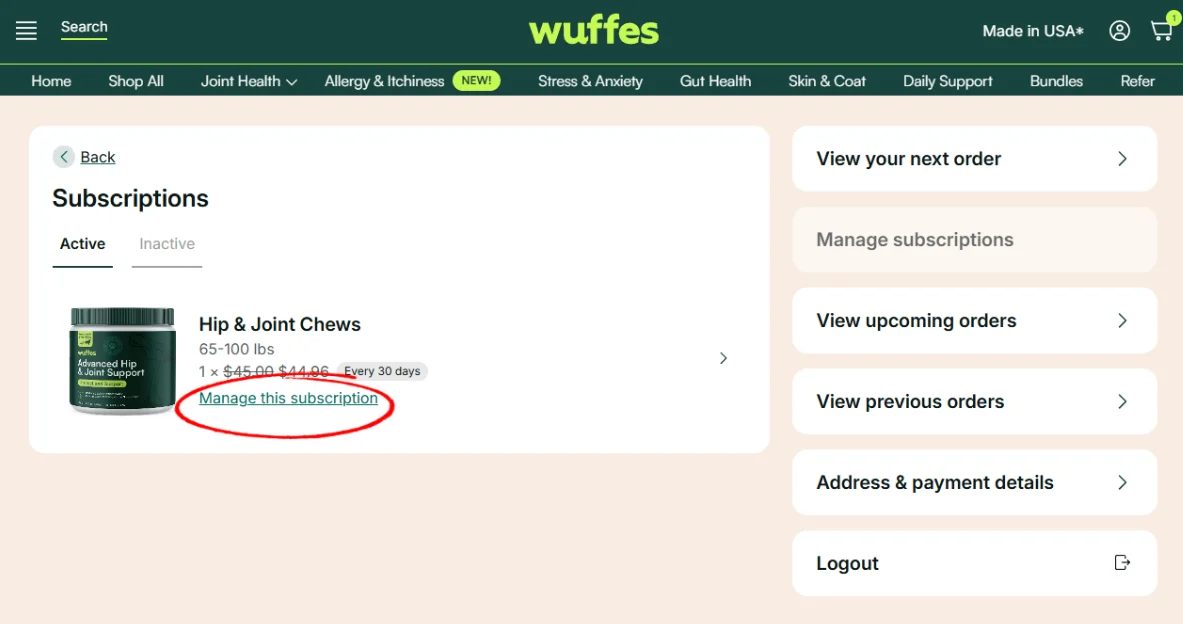
4. On this page, you will have the option to modify the amount of items on your subscription. You can click on the icons (-) and (+) to add or decrease the amount of items you'll receive on every shipment.
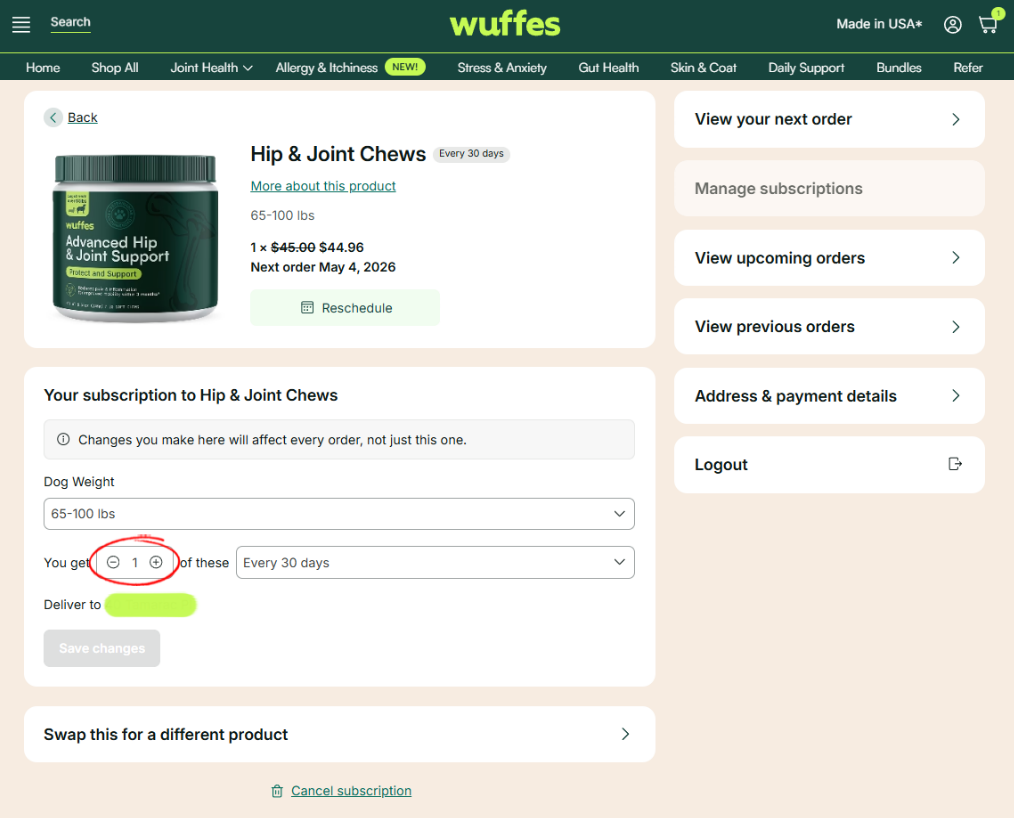
5. Finally, click on the option "Save changes" to confirm.
If you want to add a different product to your upcoming order or subscription
1. Log in to your Wuffes account.
2. On the "You may also like" section, click on the "Add" button to select one of the shown products, or click on "Browse all products" to search all available products.
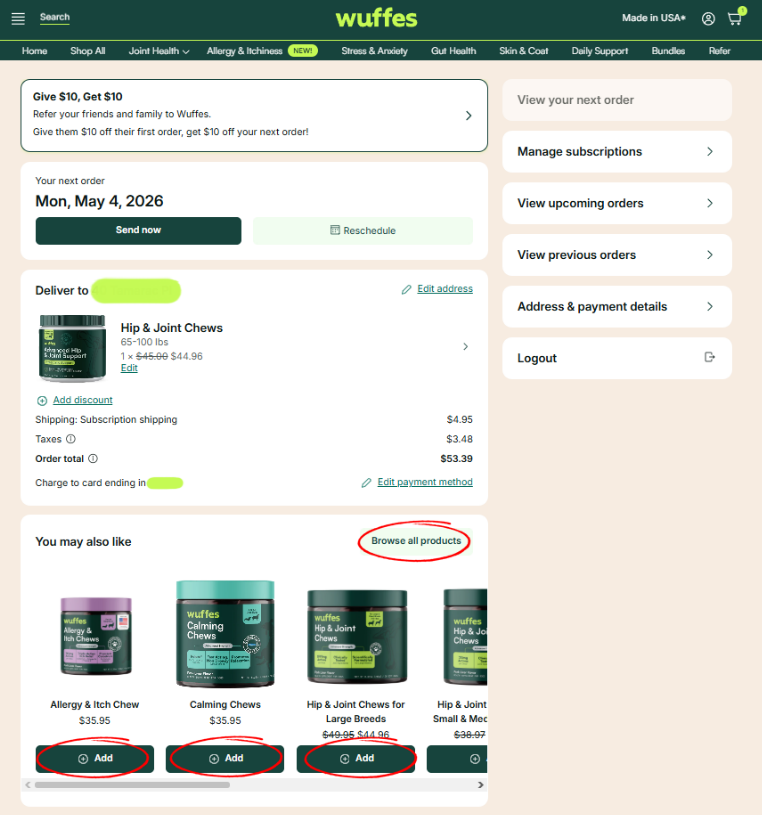
3. Once you have selected your product, you will have the option to select to add this item on your next order as a 1 time shipment, or as a new subscription to receive this product on all future shipments.
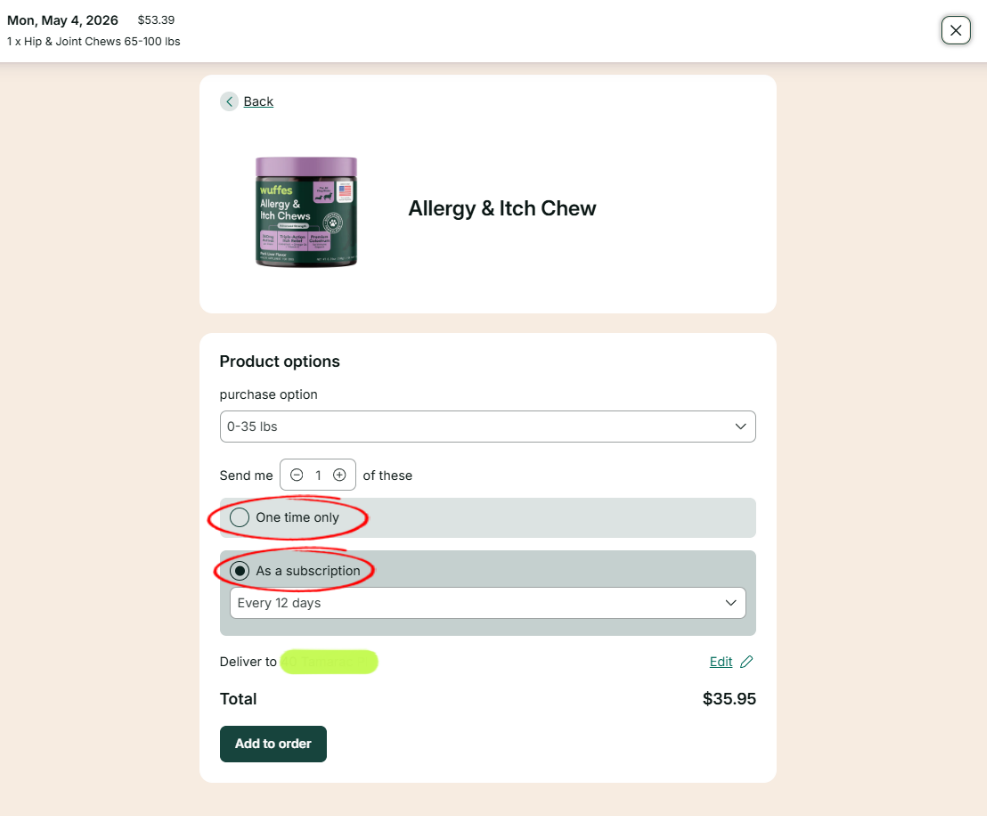
💡Tips: On this section you will also be able to select your dog's size, how many containers you'd like to order, how often will you like to receive this product (subscription only), and the shipping address for this item.
4. Finally, click on "Add to order" to add the product to your account.
You can also purchase another subscription directly from our main website instead. If you've done so, you will be able to see the subscription on the "Manage Subscriptions" menu on your account.