
⏭️ Skip Your Next ShipmentUpdated 5 months ago
Got plenty on hand?
Here’s how to skip an upcoming order — easy and stress-free.
1. Log in to your Wuffes account.
2. Once you have logged in to your account, there are 2 ways to skip your next shipment date: The Quick Change option, and the default option.
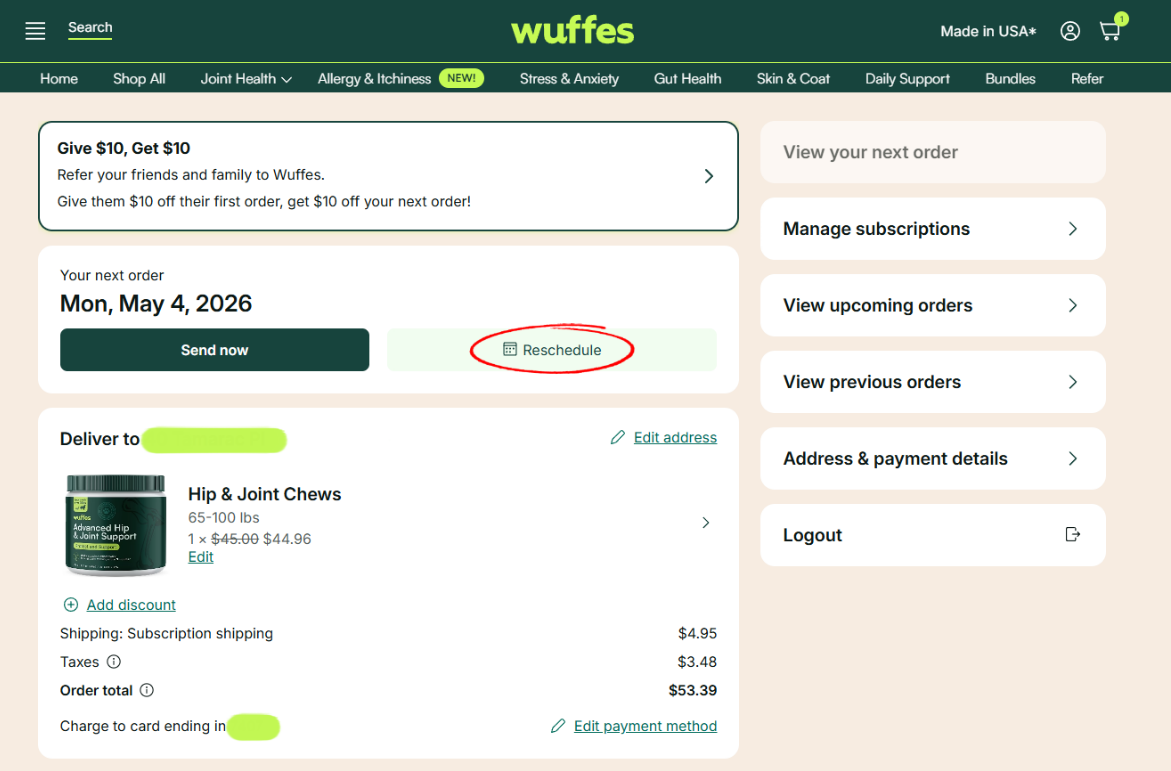
3. The quick change option will show for your closest subscription to be shipped (if you have multiple subscriptions). To quickly skip the date of your next autoship order, simply click on the option "Reschedule" on the main page.
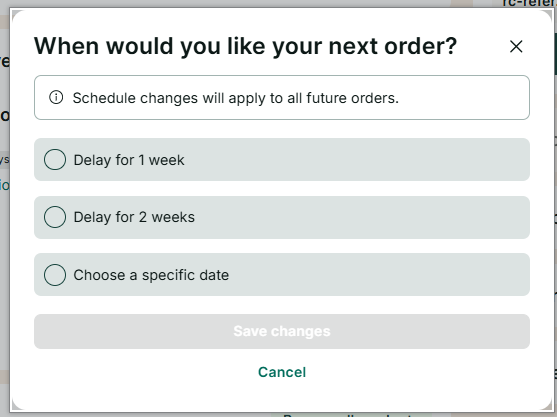
3. You'll have the option to delay your next order for 1 week, 2 weeks, or reschedule until a specific date if needed. Once you've made the desired changes, make sure to click the button "Save Changes" to confirm your new date.
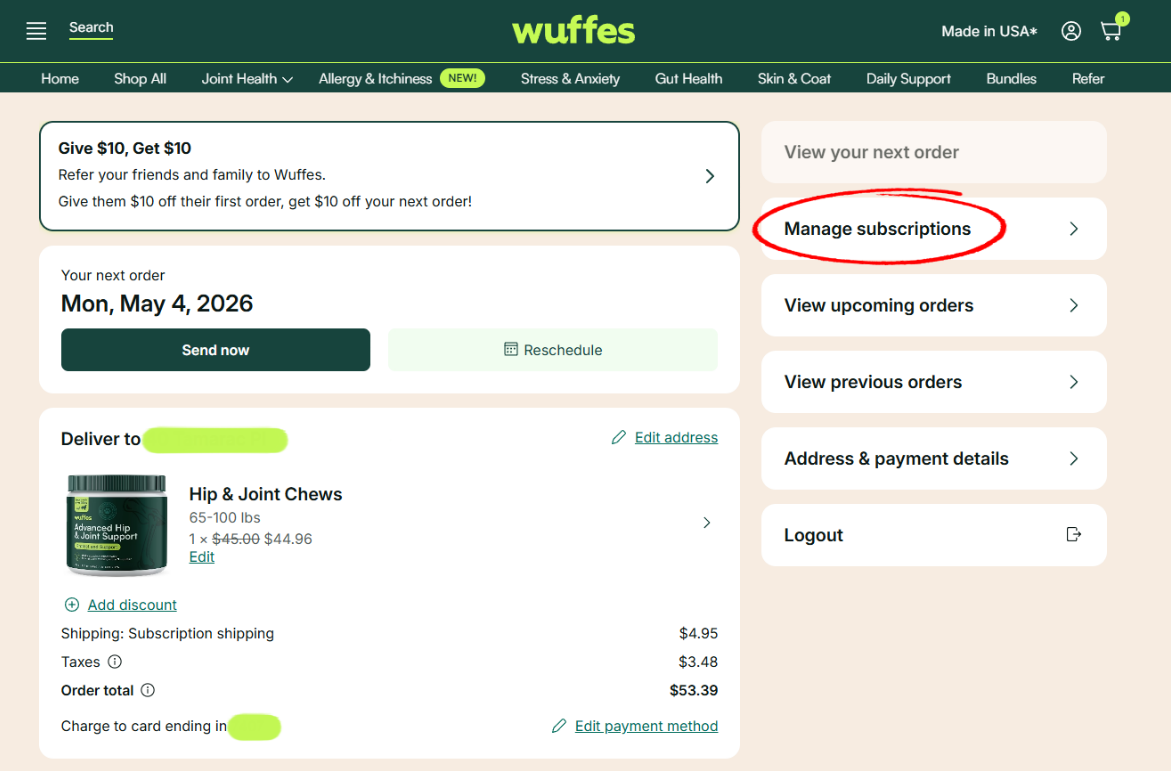
2. If you wish to skip the next shipment for a different subscription, click on "Manage subscriptions" to see all your active subscriptions
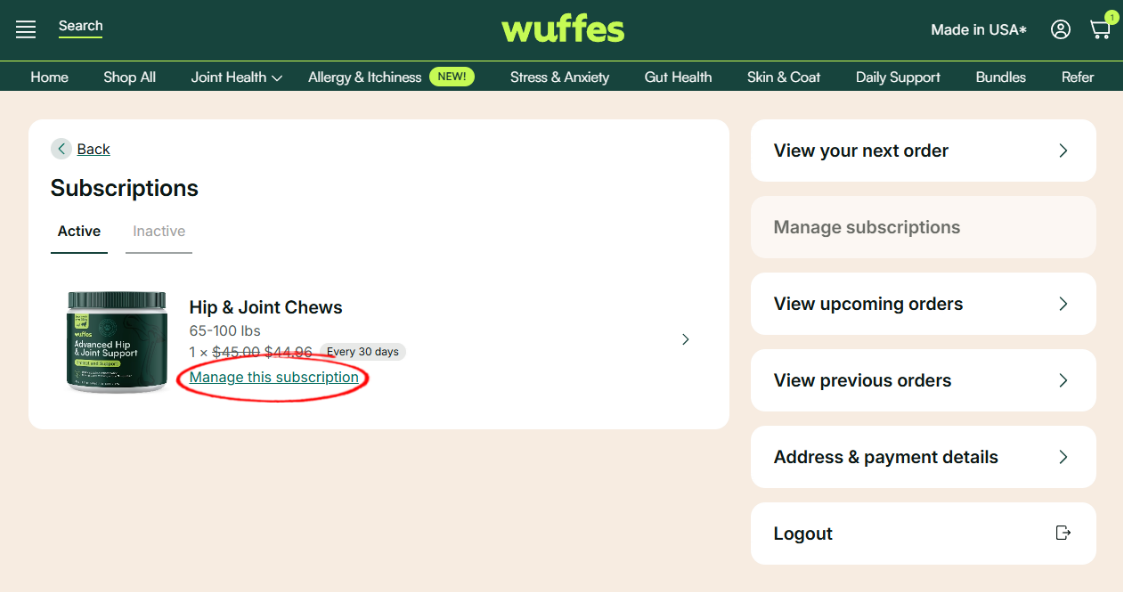
3. Click on "Manage this subscription" to see the subscription details
4. On this page, you can select the option "Reschedule" to skip your next autoship order.
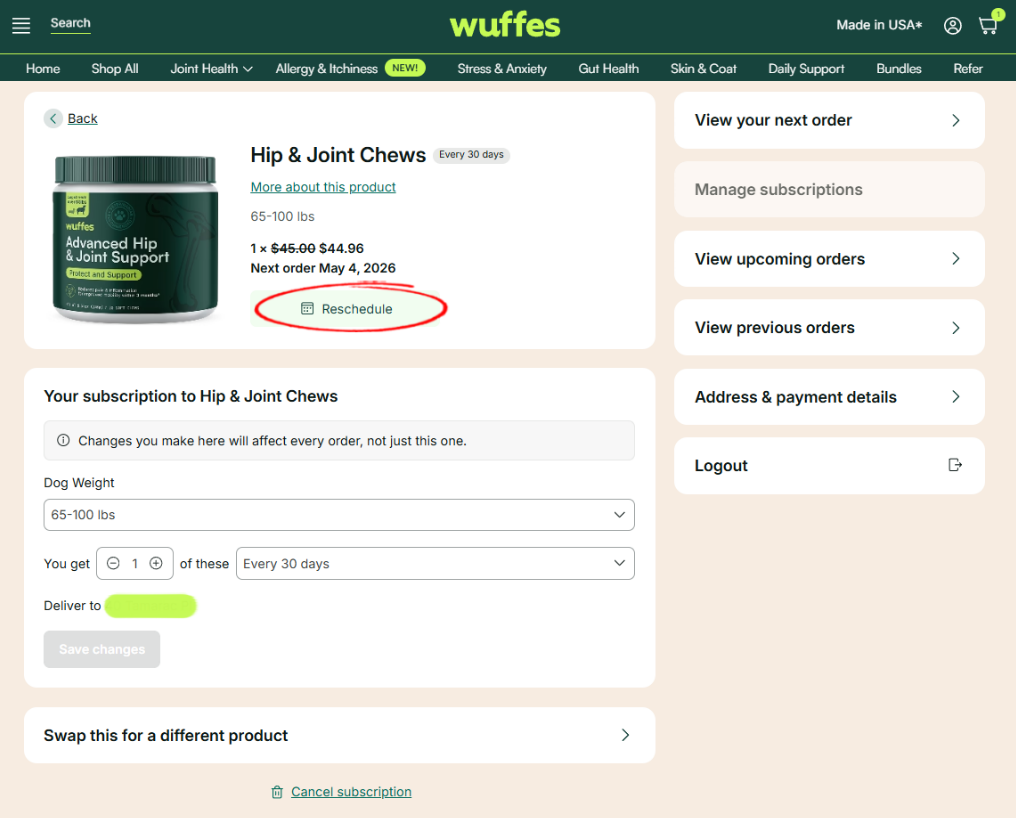
5. Finally, click on the option "Save changes" to confirm.