
🏠 Update Your Shipping AddressUpdated 5 months ago
Moving or sending to a new spot?
Quick steps to make sure your next box arrives at the right door.
1. Log in to your Wuffes account.
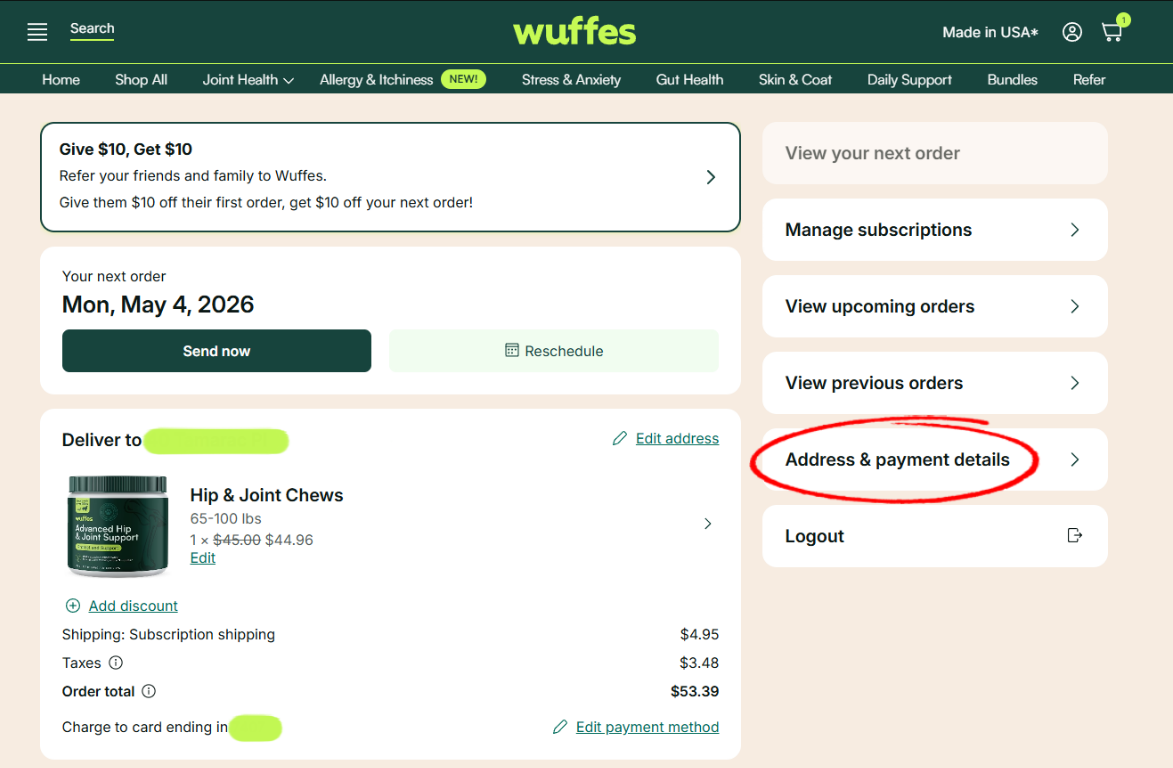
2. Click on "Address & payment details".
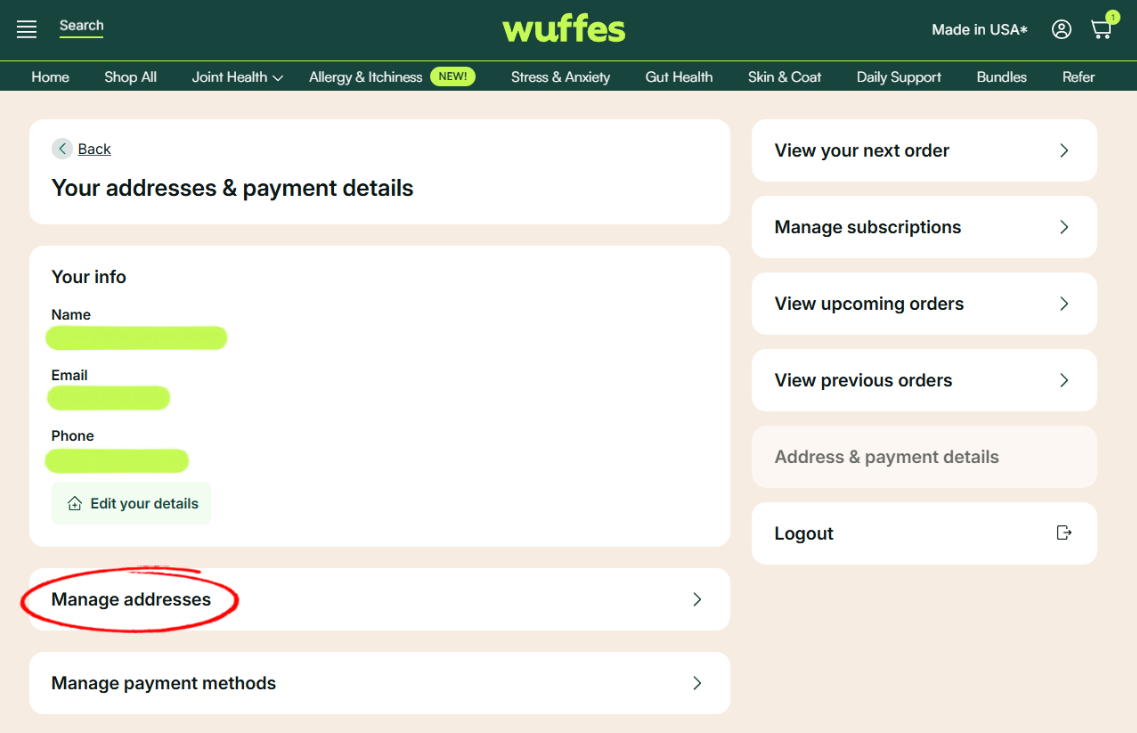
3. Click on "Manage addresses".
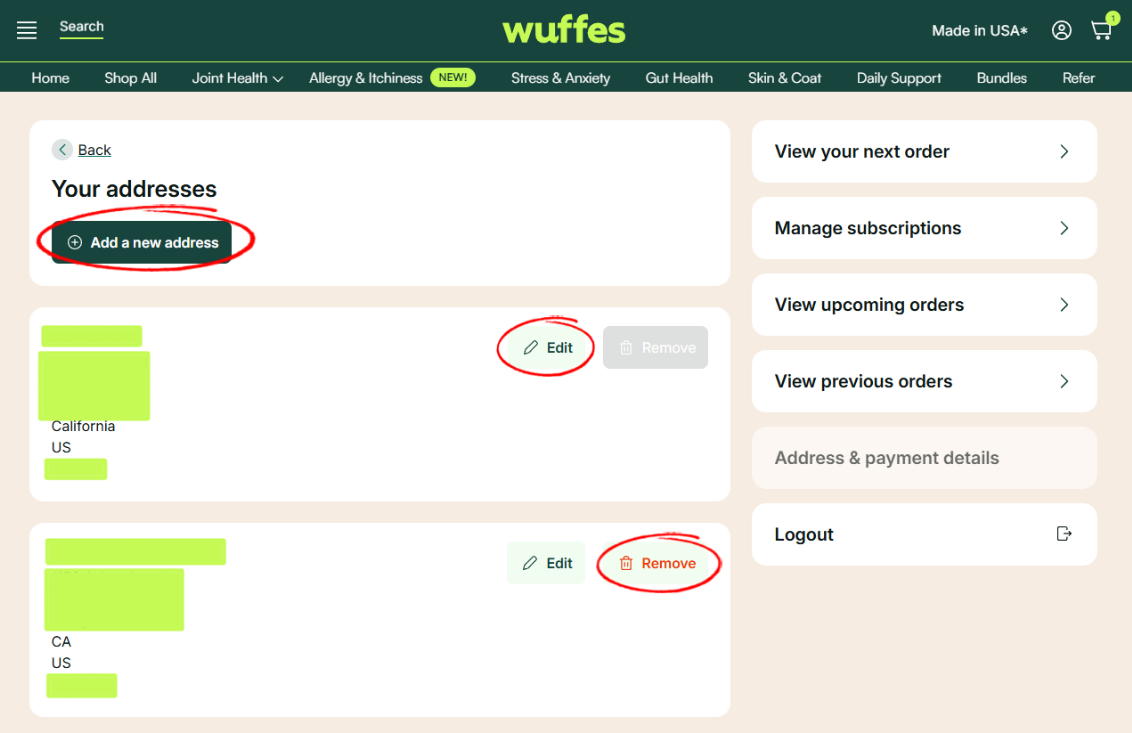
4. On this page, you will be able to manage all addresses on your account. Here, you will have the option to add a new address, edit your existing address or remove an address.
💡 Recommended tips & best practices!
- Add a new address: This option is recommended if you have multiple subscriptions that will go to different addresses.
- Edit your existing address: We highly recommend editing your existing address instead to your new location if you have moved recently and if all your shipments go to one location only.
- Remove Address: This option will be available only if you have more than 1 address on your account.
5. Finally, click on the option "Save changes" to confirm.