🔄️ Cancel SubscriptionUpdated 5 months ago
Need a break or ready to cancel?
We’ll show you how to easily cancel your subscription anytime, no strings attached.
1. Log in to your Wuffes Account:
- 💡 Tip: You can visit our "How to log in to your account?" article for further details!
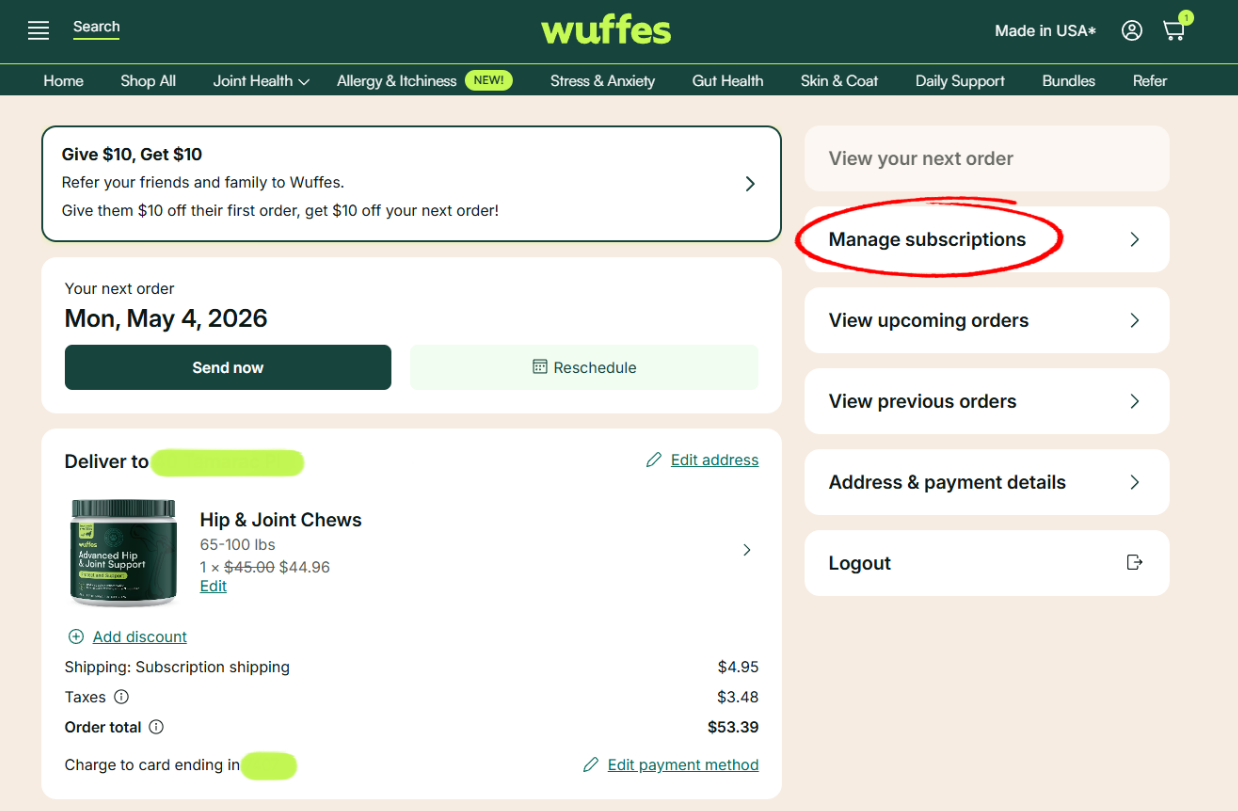
2. Click on "Manage subscriptions" to see all your active subscriptions
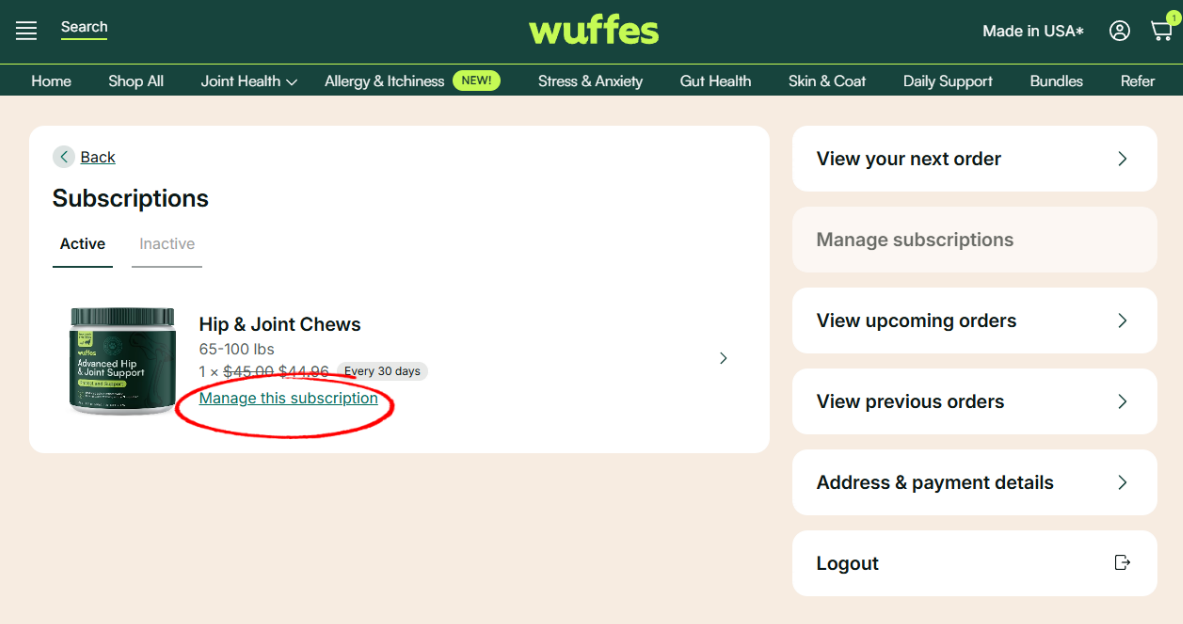
3. Click on "Manage this subscription" to see the subscription details
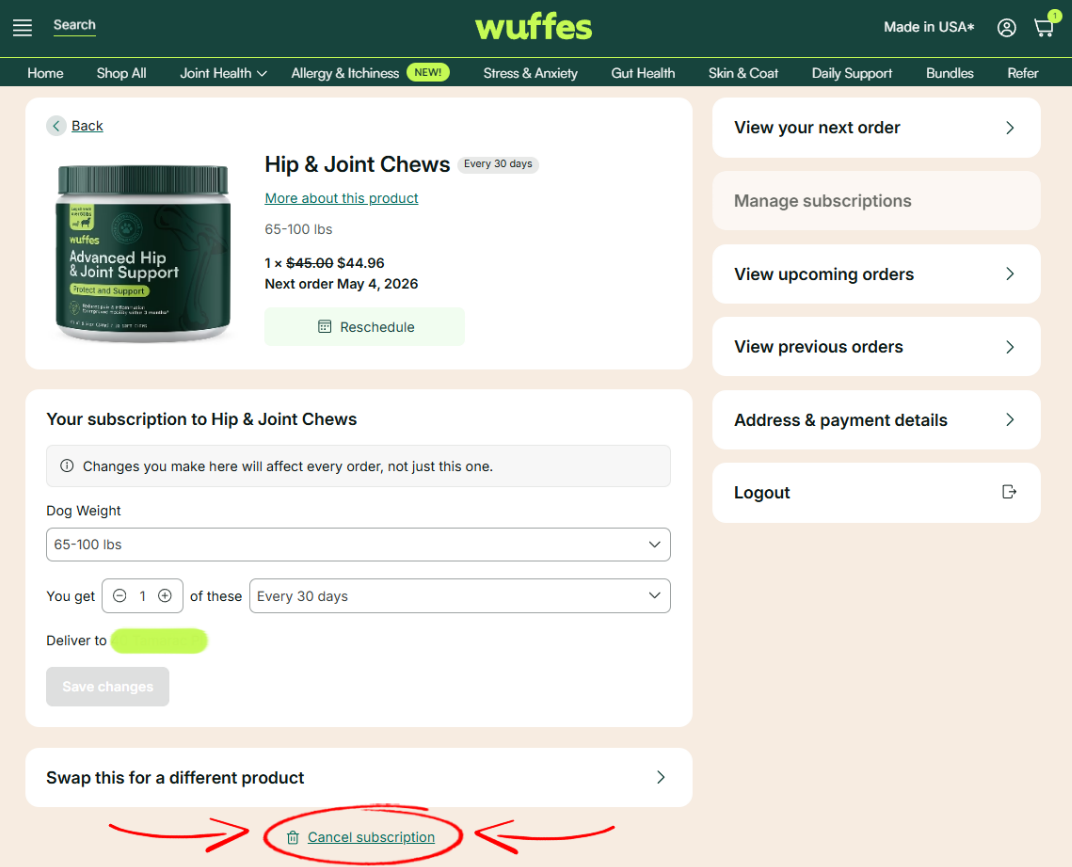
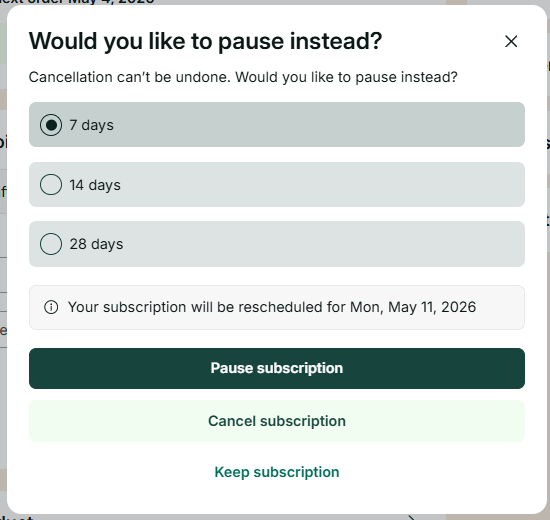
4. Click on the button "Cancel Subscription" at the bottom of the page. On this page, you'll be given the option to briefly "Pause" your subscription instead, cancel your subscription completely, or go back and keep your subscription.